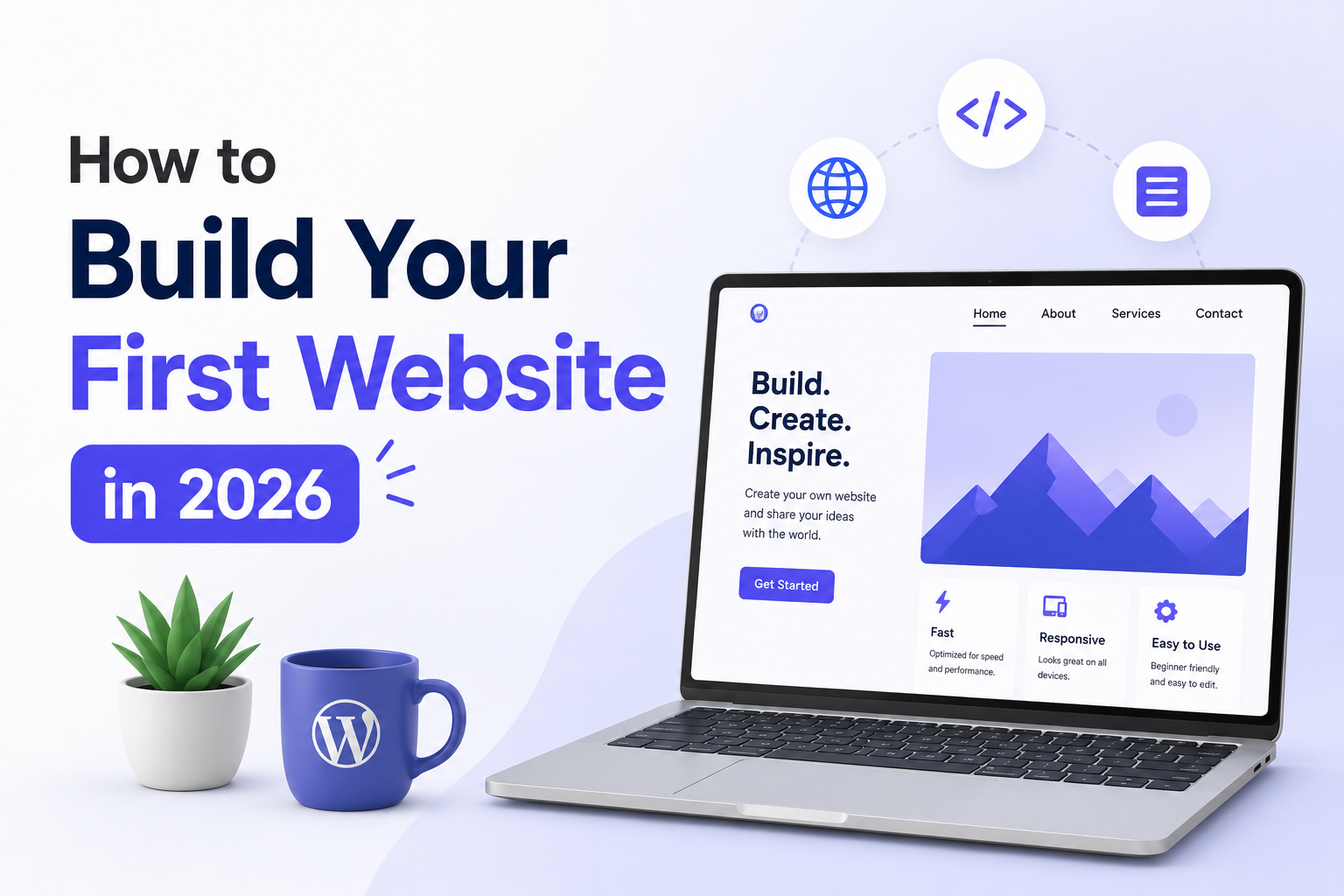

Building a website used to require a developer, a designer, a decent budget, and at least three weeks of back-and-forth emails. That was five years ago.
In 2026, you can go from a blank screen to a live, professional website in a single weekend — without writing a single line of code, without hiring anyone, and without spending more than ₹3,000 to ₹5,000 for the first year. The tools available today are genuinely good. The process is straightforward once someone walks you through it without drowning you in technical jargon.
That is exactly what this guide does.
Whether you want to launch a blog, put your small business online, build a portfolio, or start an online store — the foundation is the same. Get that foundation right and everything else builds on it cleanly.
One thing to keep in mind before we start — I have been building websites professionally through my agency TechNextHub for years. The advice here is not theoretical. It is what actually works, written for someone doing this for the first time.
💡 Note: Some platforms mentioned in this guide offer free plans. Where paid options are recommended, India pricing is included. Always verify current pricing directly on the platform before purchasing.
Before You Build Anything — Answer These Three Questions
Most people open a website builder, stare at a blank template, and freeze. Not because building is hard, but because they did not decide what they were building before they started.
Save yourself that frustration. Answer these three questions first:
What is this website for? A blog is different from a business website. A portfolio is different from an online store. Each one has a different structure, different pages, and different things it needs to do well. Be specific — “a website for my photography business where clients can see my portfolio and book a session” is far more useful than “I want a website.”
Who is going to visit it? Your website is not for you — it is for the people who land on it. A website for college students looks and reads differently than one for corporate clients. Understanding your visitor shapes every design and content decision that follows.
What do you want visitors to do? Every good website has one primary action it wants visitors to take — read an article, fill a contact form, buy a product, book a call, subscribe to a newsletter. Design your entire website around making that one action as easy and obvious as possible.
Once you have answers to all three, you are ready to build something with purpose rather than something that looks nice but does nothing.
Choosing the Right Platform — The Decision That Changes Everything
Your platform is the software you use to build and manage your website. In 2026, there are excellent options for every situation — but choosing the wrong one for your goals creates headaches for years.
Here is an honest breakdown of the main options:
WordPress — Best for Most People
WordPress powers roughly 43 percent of all websites on the internet. That statistic alone tells you something important — it is not popular because of aggressive marketing, it is popular because it genuinely works for an enormous range of needs.
The version you want is WordPress.org — the self-hosted one you install on your own hosting. It is free software. You pay only for hosting and a domain. You own everything completely. Nobody can shut down your account, change their pricing, or limit your features. It is the most flexible, most SEO-friendly, most scalable option available.
The slight learning curve is real but manageable. With a page builder like Elementor, building pages on WordPress requires no coding — it is visual, drag-and-drop, and produces professional results. This is exactly what we use at TechNextHub for client websites and what powers Blogerzilla.
Best for: Blogs, business websites, portfolios, news sites, any website where long-term growth and full control matter.
Cost: Free software + hosting at approximately ₹150 to ₹400 per month depending on the provider.
Wix — Best for Quick, Simple Websites
Wix is the easiest website builder available in 2026. You sign up, pick a template, drag elements around, and publish. No hosting setup, no installation, no technical steps. For a personal portfolio, a simple business card website, or a landing page — Wix is genuinely excellent.
The tradeoff is control. You cannot move your Wix site to another platform if you outgrow it. SEO capabilities, while improved, still trail WordPress. And costs add up quickly once you move beyond the free plan’s limitations.
Best for: Personal portfolios, small local businesses, single-page websites, beginners who want something live in a day without any technical setup.
Cost: Free plan available (with Wix branding), paid plans from approximately ₹170 per month.
Shopify — Best for Online Stores
If selling products is your primary goal — physical goods, digital downloads, merchandise — Shopify is the most purpose-built option. It handles payments, inventory, shipping integrations, and all the commerce-specific complexity that WordPress requires plugins to manage.
It is not the right choice for a blog or a business website with no store functionality — the pricing does not make sense for non-commerce use cases. But for an e-commerce business from day one, nothing is more complete.
Cost: Starts at approximately ₹1,500 per month for the basic plan.
Squarespace — Best for Creatives and Designers
Squarespace produces the most visually polished websites of any platform without requiring design skill. Photographers, artists, architects, and anyone for whom aesthetics are central to their work will find Squarespace produces results that look genuinely expensive without the effort.
SEO capabilities are functional but limited compared to WordPress. Customisation beyond the template system requires workarounds. But for visual impact on a clean, professional site — Squarespace is hard to beat.
Cost: Starts at approximately ₹1,300 per month.
The honest recommendation: If you are building a blog, a business website, or anything you plan to grow — use WordPress. If you just need something simple and live quickly — use Wix. If you are selling products — use Shopify.
Domain Name — How to Pick One That Works
Your domain name is your website’s address — blogerzilla.com, technexthub.com, yourname.com. A few principles that matter:
Keep it short and easy to spell. If you have to spell it out every time someone asks for your website address, it is too complicated. Aim for one to three words maximum.
Avoid hyphens and numbers. yourwebsite-name.com looks unprofessional and people forget the hyphen. yourwebsite2.com suggests the better version is taken. Neither inspires confidence.
Go for .com if at all possible. .in works well for India-focused websites and is slightly cheaper. But .com is the default expectation globally — people type it by habit even when you tell them it is .in. If both are available, register both and point them to the same site.
Make it relevant but not too restrictive. A name like “patialarecipes.com” works great until you want to cover other Indian cuisines. Something like “vrushalifoods.com” gives you more room to grow. Think about where you want to be in three years, not just what you are doing today.
Where to register: GoDaddy, Namecheap, and Hostinger are the most commonly used registrars in India. A .com domain costs approximately ₹800 to ₹1,200 for the first year and ₹1,000 to ₹1,500 for renewal. Watch out for first-year discounts that jump significantly at renewal.
Web Hosting — What It Is and What You Actually Need
Hosting is the server where your website’s files live. When someone visits your website, their browser connects to your hosting server and loads your site. The quality of your hosting directly affects how fast your site loads — and speed affects both user experience and Google rankings.
For a first website in 2026, you do not need expensive enterprise hosting. You need something reliable, reasonably fast, and within budget. Here is what the categories mean in practice:
Shared hosting — Your website shares a server with hundreds of other websites. Cheapest option. Perfectly adequate for a new website with low traffic. Starts at approximately ₹100 to ₹200 per month in India.
Cloud hosting / VPS — Your website has dedicated resources on a virtual server. Noticeably faster, significantly more reliable, better for sites that are growing. Starts at approximately ₹500 to ₹1,000 per month.
For a brand new website, shared hosting is the right starting point. When your monthly traffic crosses 10,000 to 20,000 visitors, that is the right time to upgrade.
Recommended hosting providers for Indian websites: Hostinger, Bluehost India, SiteGround, and Cloudways are all reliable options with Indian data centre support, good uptime records, and responsive customer service. Hostinger consistently offers the best value for money for beginners — their hPanel is clean and beginner-friendly.
One important note: Many hosting providers offer free domain registration with their hosting plans — this is a genuine saving worth looking for when comparing options.
Step-by-Step: Building Your Website
For this walkthrough, we are using WordPress on shared hosting — the combination that works for most beginners building a serious website.
Step 1 — Purchase Hosting and Domain
Go to your chosen hosting provider (Hostinger or Bluehost India work well for beginners). Select a shared hosting plan, enter your desired domain name, and complete the purchase. The entire process takes about 10 to 15 minutes.
Step 2 — Install WordPress
Most hosting providers offer one-click WordPress installation from their dashboard. Log into your hosting account, look for the WordPress installer — it is usually called Softaculous or the “WordPress” button in the control panel — and click install. Enter your site name, admin username, and password. WordPress will be live at your domain within a few minutes.
Step 3 — Log Into Your WordPress Dashboard
Go to yourdomain.com/wp-admin and log in with the credentials you just created. This is your WordPress dashboard — where you will build and manage everything. Spend five minutes clicking through the menu on the left side to familiarise yourself before doing anything else.
Step 4 — Install a Theme
A theme controls how your website looks. Go to Appearance → Themes → Add New and search for a free theme. For beginners, Astra and Kadence are both excellent free themes — fast, clean, and widely used by professional websites. Install your chosen theme and click Activate.
Step 5 — Install Elementor Page Builder
Go to Plugins → Add New and search for Elementor. Install and activate the free version. Elementor turns your WordPress website into a drag-and-drop builder — you click on any element, edit it directly on screen, and see changes in real time. No code. No guesswork.
Step 6 — Install Essential Plugins
WordPress plugins add functionality to your website. For a first website, install these four:
Yoast SEO or RankMath — helps you optimise every page and post for search engines. Essential from day one.
Wordfence Security — protects your website from hackers and malware. Free version is adequate for most beginners.
WP Super Cache or LiteSpeed Cache — improves your website’s loading speed by caching pages. Install whichever your hosting provider recommends.
UpdraftPlus — automatic backups of your website. If anything ever goes wrong, you can restore your site in minutes. Do not skip this one.
Install each from Plugins → Add New, search by name, install, and activate.
Step 7 — Create Your Core Pages
Go to Pages → Add New and create these pages one by one. For each page, click Edit with Elementor to build the page visually:
- Home page
- About page
- Services or Blog page (depending on your website’s purpose)
- Contact page
- Privacy Policy page
- Disclaimer page (essential for blogs covering finance, health, or advice topics)
Step 8 — Set Your Homepage
By default WordPress shows your blog posts on the homepage. If you built a separate homepage, you need to assign it. Go to Settings → Reading → Your homepage displays → A static page and select your homepage from the dropdown.
Step 9 — Set Up Your Navigation Menu
Go to Appearance → Menus. Create a new menu, add your pages to it, and assign it to your header location. This creates the navigation bar at the top of your website that visitors use to move between pages.
Step 10 — Test Everything Before Publishing
Click through every page. Test every link. Fill your contact form and make sure the submission reaches your email. Check how your website looks on your phone — go to Appearance → Customize in WordPress and use the mobile preview. At least 70 percent of your visitors will arrive on a phone. If it looks broken on mobile, it needs fixing before you publish.
Pages Every Website Needs
Regardless of what your website is for, these pages are non-negotiable:
Home page — Your first impression. It should communicate clearly within five seconds what your website is about and who it is for. A confused visitor leaves immediately.
About page — People buy from people, not from anonymous websites. Your About page builds trust. Include who you are, why you do what you do, and what makes you worth trusting. A real photo makes an enormous difference — it replaces the anonymity of the internet with a human face.
Contact page — Make it easy for people to reach you. A simple form with name, email, and message fields is enough. Also include your email address as plain text — not everyone wants to use a form.
Privacy Policy — Required for AdSense approval, required for GDPR compliance if you have visitors from Europe, and required for most advertising networks. Generate one using a free tool and publish it. It is not optional.
Blog (if applicable) — If content is any part of your strategy — and for most websites in 2026 it should be — a blog section gives Google fresh content to index and gives visitors a reason to return.
Making Your Website SEO-Ready from Day One
SEO does not have to be complicated at the beginning. These fundamentals, done right from the start, give your website the best possible foundation:
Install RankMath or Yoast SEO. These plugins guide you through optimising every page and post. Follow their suggestions — green light means Google-friendly.
Write a unique title and meta description for every page. The title is what appears in Google search results. The meta description is the short summary below it. Both should include your main keyword and clearly describe what the page offers.
Use headings correctly. Every page should have one H1 heading — the main title. Subheadings should be H2 and H3. This structure helps Google understand what your content is about.
Optimise your images. Large image files slow down your website significantly. Before uploading, compress images using a free tool like TinyPNG or Squoosh. Also add alt text to every image — a short description of what the image shows. This helps Google index your images and improves accessibility.
Submit your sitemap to Google Search Console. Once your website is live, go to Google Search Console, add your website, and submit your sitemap (usually yourdomain.com/sitemap.xml if you have RankMath or Yoast installed). This tells Google your website exists and helps it get indexed faster.
Get your site speed under 3 seconds. Test your website at PageSpeed Insights (pagespeed.web.dev). If your score is below 70, install a caching plugin, compress your images, and consider a faster hosting plan.
Before You Hit Publish — Final Checklist
Go through this before making your website public:
- All pages created and content complete
- Navigation menu working correctly
- Contact form tested and receiving emails
- Website loads in under 3 seconds (test on PageSpeed Insights)
- Mobile view checked and clean
- Privacy Policy and Disclaimer pages live
- SSL certificate active (padlock shows in browser — your hosting provider activates this)
- Google Analytics installed
- Google Search Console set up and sitemap submitted
- Backup plugin installed and first backup taken
- All images compressed and alt text added
- RankMath or Yoast SEO installed and basic settings configured
Common Beginner Mistakes That Waste Months
Choosing a platform based on price alone. The cheapest option is not always the right one. A free website builder that limits your SEO, your design, and your ability to scale will cost you far more in lost opportunities than a ₹200 per month hosting plan.
Spending weeks on design before publishing. Your first website does not need to be perfect — it needs to be live. A clean, functional website published in two weeks beats a beautifully designed one that never launches because you kept tweaking it. Publish, then improve.
Ignoring mobile. In India, mobile accounts for over 70 percent of internet traffic. A website that looks good on desktop but breaks on a phone is essentially broken for most of your visitors. Test every page on your phone before publishing.
Using too many plugins. Every plugin you add slows your website slightly. Beginners often install 20 to 30 plugins and then wonder why their site loads in 8 seconds. Install only what you genuinely need — the four essential ones listed earlier cover most of what a new website requires.
Not backing up regularly. Websites get hacked. Servers have issues. Plugins conflict and break things. If you do not have a recent backup, these events can mean losing everything you built. UpdraftPlus set to automatic weekly backups takes five minutes to configure and protects months of work.
Buying things you do not need yet. Premium themes, premium plugins, professional logo design, expensive hosting — none of these are necessary for a first website. Start lean. Invest in upgrades when your website is live and you understand what you actually need.
Final Thoughts
Building your first website in 2026 is genuinely one of the most useful things you can do — for your business, your career, your brand, or your creative work. It gives you a piece of the internet that belongs entirely to you, cannot be taken away by an algorithm change, and works for you every hour of every day.
The technical side is manageable. The tools are better than they have ever been. The real work — and the part that actually determines whether your website succeeds — is the clarity of purpose you bring to it, the quality of the content you put on it, and the consistency with which you update and improve it over time.
A website is not a finish line. It is a starting point. Get it live, get it clean, and build from there.
If you want professional help building a website for your business, TechNextHub builds custom websites for businesses across India — reach out through our contact page.
Key Takeaway
Building your first website in 2026 requires four things: a clear purpose, the right platform (WordPress for most people), a domain name, and basic hosting. Install four essential plugins — RankMath, Wordfence, a caching plugin, and UpdraftPlus — then create your core pages using Elementor. Optimise for mobile from day one, submit your sitemap to Google Search Console, and publish before it is perfect rather than waiting until it is. A live website that improves over time beats a perfect website that never launches.