
Running a freelance business or a small business in India comes with a specific kind of financial pressure that most tool recommendation lists do not understand.
Every rupee spent on software is a rupee that did not go toward marketing, inventory, equipment, or simply your own salary. When you are bootstrapping — managing everything yourself, wearing every hat, watching every expense — the idea of paying ₹2,000 to ₹5,000 per month for a stack of business tools feels genuinely difficult to justify in the early stages.
The good news is that in 2026, you genuinely do not have to. The free tool landscape has matured to a point where a freelancer or small business owner in India can run a professional, well-organised operation — client management, project tracking, communication, design, invoicing, accounting, and marketing — without spending a single rupee on software until they have the revenue to justify it.
This post covers the best free tools across every category a freelancer or small business needs, verified for India — meaning they work with UPI, support INR, do not require a VPN, and have free tiers that are genuinely useful rather than crippled demos designed to frustrate you into upgrading.
💡 Disclosure: Some tools mentioned have paid plans. Where noted, the free plan is what is being recommended. Always verify current pricing and features on the tool’s official website before using.
Why the Right Tools Matter More Than Working Harder
There is a version of freelancing and small business ownership that looks like this — everything is in your head, client details are in your phone contacts, project deadlines are on a sticky note, invoices are sent as Word documents from your personal email, and you spend an hour every week just figuring out where things stand.
This version works, in the way that a bicycle works for a journey that needs a car. You get there eventually, but you arrive exhausted, you cannot scale, and you lose things along the way.
The right tools do not replace your skill or your hustle. They remove the friction between your skill and the output your clients see. They make you look more professional than your competitors who are still on sticky notes. They free up mental energy that you can spend on the work that actually earns money rather than the administration surrounding it.
And in 2026, the best of these tools are free. Not trial-free, not free-with-a-watermark-on-everything, but genuinely free for individual use at the scale most Indian freelancers and small businesses operate.
Design and Visual Content
Canva — Best Free Design Tool Available Anywhere
If you run any kind of business that produces visual content — social media posts, presentations, proposals, brochures, logos, banners — Canva is the single most impactful free tool you can use. No design background required. No software to install. It runs in your browser, loads fast on Indian internet speeds, and has a free plan that is genuinely comprehensive.
The free tier includes thousands of templates, a drag-and-drop editor that produces professional results, a brand kit for consistent colours and fonts, and the ability to export your designs as images or PDFs. For Instagram posts, WhatsApp business graphics, pitch decks, and client-facing documents — Canva eliminates the need to hire a designer for routine visual work.
As someone running TechNextHub, you already know this — client-facing documents that look polished close faster than ones that look rushed. Canva gets you there without a design team.
What the free plan includes: Unlimited designs, 5GB cloud storage, thousands of templates, basic photo editor, and PDF export.
What requires paid: Premium templates, background remover, brand kit for teams, and certain AI features. The free tier covers the majority of what a solo freelancer or small team needs.
India-specific note: Canva works perfectly in India without a VPN, supports all major Indian payment methods for upgrades, and their template library includes India-specific designs for festivals, regional formats, and local business contexts.
Remove.bg — Free Background Removal
One specific tool worth mentioning alongside Canva — Remove.bg removes the background from any photo in seconds, for free. Product photos for e-commerce, profile photos for LinkedIn, images for client presentations — the free tier handles a meaningful number of images per month and the quality in 2026 is genuinely excellent.
Communication and Client Management
WhatsApp Business — Best for Indian Client Communication
WhatsApp Business helps small businesses communicate more professionally. The app is free to download and includes tools designed to help businesses work smarter, build trust, and grow. In India, many customers prefer messaging instead of filling long forms.
If you have not separated your personal WhatsApp from a WhatsApp Business account — do it today. WhatsApp Business lets you set up a business profile with your services, working hours, and website link. You can create quick reply templates for common responses, set automatic away messages, and organise contacts with labels. All free, all on the platform your Indian clients already use every day.
For a freelancer or small agency owner, WhatsApp Business also creates a cleaner boundary between personal and professional — which matters for your own sanity as much as for the client experience.
Zoho CRM Free — Best Free CRM for Small Teams
Zoho CRM is a strong option especially for Indian small businesses. Zoho’s CRM Free Edition includes leads, deals, workflows, reports, and a mobile app, and is free forever for 3 users.
If you are managing more than five active clients at any time, a CRM — Customer Relationship Management tool — transforms how you track relationships, follow-ups, proposals, and deal stages. Without one, things fall through cracks. With one, nothing does.
Zoho is an Indian company (headquartered in Chennai) which means their products are built with an understanding of how Indian businesses actually work. The free CRM tier supports up to three users, handles contact management, deal tracking, and basic automation — more than enough for a solo freelancer or small team in the early stages.
HubSpot CRM Free — Best for Service Businesses
HubSpot says its free CRM tools can be used at no cost, with up to two users and 1,000 contacts. HubSpot’s free CRM is particularly strong for service businesses tracking client conversations and email interactions. It integrates with Gmail so every email with a client is automatically logged against their contact record — no manual entry, no forgotten follow-ups.
Project and Task Management
Trello — Best for Visual Task Management
Trello organises your work on visual boards — columns represent stages (To Do, In Progress, Review, Done) and cards represent individual tasks or projects. It is the simplest project management tool available and takes about ten minutes to set up for a freelance workflow.
The free plan supports unlimited cards, ten boards, basic automation, and unlimited members. For solo freelancers managing multiple client projects simultaneously, Trello’s visual board is far more effective than a mental to-do list or scattered notes.
Notion — Best All-in-One Workspace
Notion is a more powerful option that combines notes, databases, task lists, project tracking, and documentation in one place. It is the tool you graduate to from Trello when your work has more complexity and you want to keep everything — client briefs, project notes, invoices, personal knowledge — in a single organised workspace.
The free plan is genuinely comprehensive for individual use — unlimited pages and blocks, a basic AI assistant, and sharing with up to five guests. Many Indian freelancers use Notion as their entire business operating system — client onboarding checklists, project templates, SOPs, and content calendars all in one place.
ClickUp Free — Best for Teams and Complex Projects
If you are running a small agency with multiple team members — ClickUp’s free plan offers the most generous feature set available at zero cost. Unlimited tasks, unlimited members, time tracking, Gantt charts, and native integrations with most popular tools. For TechNextHub managing multiple client projects simultaneously across a small team, ClickUp provides the structure that prevents projects from falling through the cracks.
Invoicing and Basic Accounting
This is the category where Indian freelancers most frequently use the wrong tools — sending invoices as Word documents or informal WhatsApp messages, then struggling to track payments and follow up professionally.
Zoho Invoice — Best Free Invoicing Tool for Indian Freelancers
Zoho Invoice is completely free — not a trial, not a freemium with crippling limits, but fully free. It generates professional GST-compliant invoices, supports INR, tracks payment status, sends automatic payment reminders, and produces basic financial reports.
For any Indian freelancer billing clients professionally — this is the tool. GST invoicing is built in, which becomes essential once your annual revenue crosses ₹20 lakh. Even before that threshold, professional invoices build credibility and make your clients’ accounting easier, which they appreciate.
Wave Accounting — Best Free Accounting for Service Businesses
Wave feels like it should not be free. Yet it offers unlimited professional invoicing, expense tracking, and bank connections without charging for core accounting features. The dashboard shows your financial position at a glance with income and expense graphs. Wave is perfect for service-based businesses, freelancers, and startups with simple accounting needs — consultants, designers, photographers, and small agencies.
Wave handles everything a freelancer or small service business needs for basic bookkeeping — income tracking, expense categorisation, and professional invoicing — without a monthly fee. For businesses that need GST filing and inventory management, Indian-built tools like Zoho Books (free tier) or Vyapar are better suited.
Writing and Content Creation
Google Docs and Google Workspace Free
The free tier of Google Workspace — Docs, Sheets, Slides, Forms, and Drive — remains one of the most complete free productivity suites available. For client proposals, project documentation, content writing, shared reports, and collaborative editing — Google Docs works seamlessly, saves automatically, and eliminates the “wrong version” problem that email attachments create.
Every Indian freelancer should be running client deliverables through Google Docs rather than Word files sent back and forth by email. The collaboration features alone — real-time editing, comment threads, suggestion mode — make client feedback loops faster and less chaotic.
Grammarly Free — Best Writing Assistant
Grammarly’s free browser extension checks grammar and spelling across every text field in Chrome — emails, proposals, social media captions, Google Docs, everything. For freelancers whose work product includes written communication — which is virtually everyone — catching embarrassing errors before clients see them is worth the two minutes it takes to install.
The free tier handles grammar and spelling well. The paid tier adds tone analysis, clarity suggestions, and plagiarism detection — useful but not essential until revenue justifies the upgrade.
Marketing and Social Media
Buffer Free — Best for Scheduling Social Media Posts
Buffer’s free plan lets you connect three social media channels and schedule up to ten posts per channel. For a freelancer or small business maintaining a consistent Instagram, LinkedIn, and Facebook presence — Buffer removes the need to manually post at specific times and allows you to batch your content creation once a week rather than interrupting your work every day.
Google Search Console and Google Analytics 4 — Essential Free Marketing Tools
Search Console tells you which keywords bring traffic. Google Analytics 4 tells you what visitors do after they arrive. Both are free, both work perfectly in India, and both have AI-powered recommendations in 2026. blogerzilla
If you have a website — and every freelancer and small business in India should have one — these two Google tools are non-negotiable. Search Console shows you exactly how your site appears in Google search results and which search terms are bringing visitors. Analytics 4 shows you what those visitors do once they arrive — which pages they read, how long they stay, where they drop off.
Together they give you the information needed to make intelligent decisions about your website content and marketing — entirely free.
Mailchimp Free — Best for Email Marketing
If you are building an audience, running a newsletter, or want to send professional email updates to clients and prospects — Mailchimp’s free plan supports up to 500 contacts and 1,000 emails per month. For most freelancers and small businesses in the early stages, this is more than enough to start building an email list and staying in front of your audience consistently.
Video Calls and Meetings
Google Meet Free
For client calls, team meetings, and video consultations — Google Meet’s free tier offers unlimited one-on-one calls and group calls up to 60 minutes with up to 100 participants. It works reliably on Indian internet connections, requires no software installation for clients (they join through the browser), and integrates naturally with Google Calendar for scheduling.
Zoom Free
Zoom’s free plan covers 40-minute group meetings and unlimited one-on-one calls. The 40-minute limit on group calls is the primary constraint — for longer client presentations or workshops, this requires either a paid plan or back-to-back meeting links. For routine client check-ins under 40 minutes, the free tier is perfectly adequate.
For most Indian freelancers, Google Meet’s free tier is more practical — no time limit on any call and clients are already familiar with it.
File Storage and Document Sharing
Google Drive Free
15GB of free cloud storage shared across Google Drive, Gmail, and Google Photos. For a freelancer storing client files, project assets, and business documents — 15GB covers several months of typical use. Critically, Google Drive allows you to share specific folders with clients for delivering project files, which looks significantly more professional than emailing large attachments.
WeTransfer Free
For delivering large files — video edits, high-resolution design files, bulk photography — WeTransfer allows transfers up to 2GB for free with no account required. The recipient gets a download link that stays active for seven days. Simple, fast, and widely recognised by clients globally.
Payments and Receiving Money
Razorpay Payment Links — Free to Create
For Indian freelancers receiving payments from domestic clients, Razorpay Payment Links are the cleanest solution. You create a payment link in seconds, share it via WhatsApp or email, and clients can pay via UPI, card, or net banking. Razorpay charges a transaction fee (typically 2 percent) per payment — no monthly subscription.
For international clients, Wise (formerly TransferWise) offers significantly better exchange rates than traditional bank wire transfers and a lower fee structure. The account setup is straightforward for Indian freelancers and the money arrives in your Indian bank account at a rate meaningfully better than SWIFT transfers.
Instamojo — Free to Set Up
Instamojo is an Indian platform built specifically for freelancers and small business owners to accept payments, sell digital products, and create simple payment pages. The setup is free and the platform charges a small transaction fee per payment. It is particularly useful for selling digital products — ebooks, templates, courses — directly to Indian buyers who prefer UPI or card payment on a familiar Indian platform.
Productivity and Focus
Pomofocus — Free
Pomofocus is a browser-based Pomodoro timer — 25 minutes of focused work, 5-minute break, repeat. Simple, free, no account required, and one of the most effective tools for managing the distraction and procrastination that freelancing from home tends to produce. There are no features. Just a timer and a task list. Which is exactly the point.
Toggl Track — Free
Toggl Track is a time tracking tool — you start a timer when you begin work on a task and stop it when you finish. Over time it shows you exactly where your hours are going, which clients take the most time, and whether your project estimates are accurate.
Even if you do not bill hourly, tracking time for one month reveals things about how you work that feel genuinely surprising — tasks you thought took 30 minutes that consistently take 90, clients whose projects expand beyond the original scope by significant amounts, and work patterns that affect your energy and output.
The free plan tracks unlimited projects and clients for one user — which is everything most solo freelancers need.
Building Your Tool Stack — What to Actually Install
The temptation after reading a tool list like this is to install everything immediately. Resist it. Each tool you add requires learning time and creates something that needs to be checked and maintained. The most productive freelancers typically use five to eight tools consistently rather than fifteen tools inconsistently.
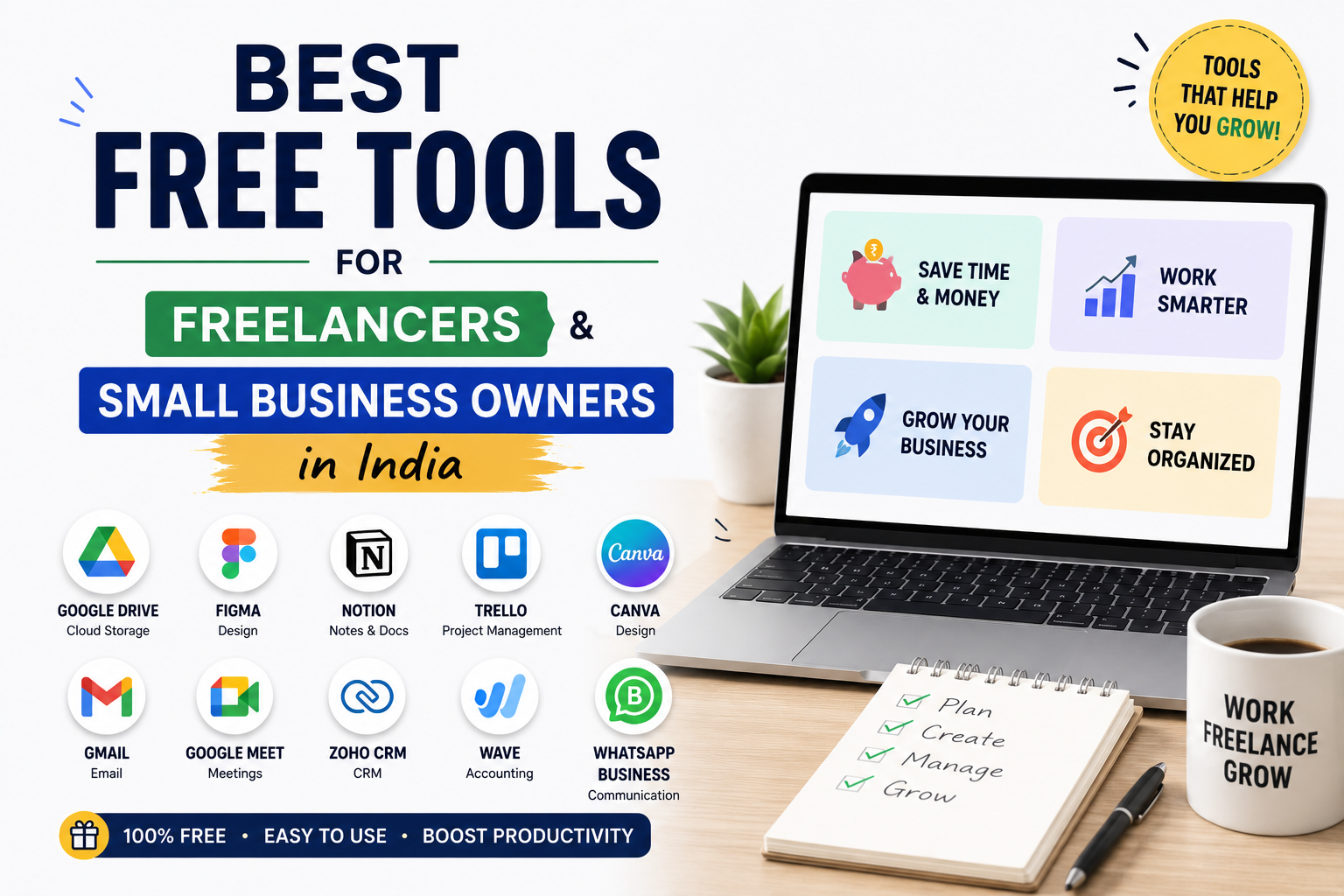
Here is a practical minimum viable stack for an Indian freelancer starting from scratch:
Communication: WhatsApp Business + Gmail
Design: Canva
Project tracking: Trello (simple) or Notion (flexible)
Invoicing: Zoho Invoice (GST-registered) or Wave (not GST-registered)
Writing: Google Docs + Grammarly
Payments: Razorpay Payment Links
Marketing: Google My Business (if local) + Buffer (if posting regularly)
Analytics: Google Analytics 4 + Search Console (if you have a website)
Set these up properly, use them consistently for 60 days, and then add or replace based on what you find missing. Building a tool stack incrementally based on actual needs produces a better result than adopting every tool at once and using none of them well.
Final Thoughts
The tools available to Indian freelancers and small business owners in 2026 are genuinely remarkable — and the fact that most of the best ones are free or offer generous free tiers means the barrier to running a professional, efficient freelance business has never been lower.
A solo freelancer with a WhatsApp Business account, a Canva subscription that costs nothing, a Zoho Invoice account for professional GST invoicing, a Notion workspace for project management, and a Google Analytics account tracking their website performance is running on infrastructure that would have cost a significant monthly subscription just five years ago.
The tools are not the differentiator. How consistently and intentionally you use them is. Pick the smallest useful set, master them, and build from there.
Key Takeaway
The best free tools for Indian freelancers and small business owners in 2026 are Canva for design, WhatsApp Business for professional client communication, Zoho Invoice for GST-compliant invoicing, Notion or Trello for project management, Wave for accounting (non-GST), Google My Business for local visibility, Razorpay for payments, and Toggl Track for time awareness. Build a minimum stack of five to eight tools, use them consistently for 60 days, and add more only when you identify a genuine gap. The tools are free — the discipline to use them well is the actual investment.