
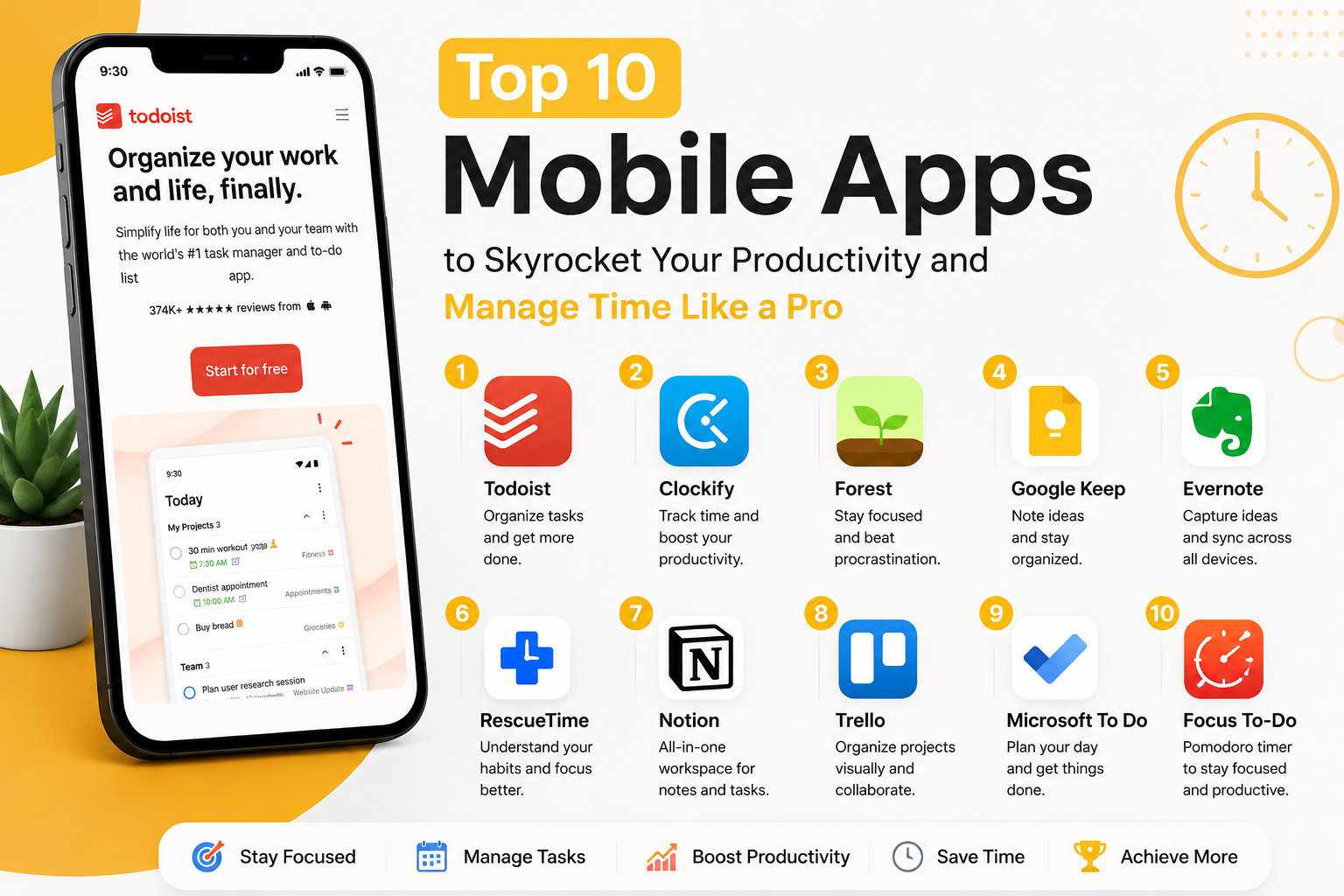

In today’s fast-moving digital world, productivity is no longer just about working harder — it’s about working smarter. Whether you are a student, entrepreneur, freelancer, content creator, or corporate professional, the right mobile apps can completely transform how you manage your time, organize tasks, stay focused, and reduce distractions.
Modern productivity apps now combine AI features, smart scheduling, automation, focus tracking, cloud syncing, and collaboration tools to help users maximize efficiency from anywhere. Research from productivity experts and app reviewers consistently highlights tools like Todoist, Notion, RescueTime, and Evernote among the most effective apps for improving workflow and time management.
If you often feel overwhelmed by deadlines, distracted by notifications, or stuck in endless multitasking, these productivity apps can help you regain control of your day.
Why Productivity Apps Matter More Than Ever
The average person spends hours every day switching between apps, notifications, emails, and unfinished tasks. Productivity apps help simplify this chaos by offering:
- Task organization
- Time tracking
- Focus enhancement
- Smart reminders
- Note-taking systems
- Workflow automation
- Collaboration features
According to productivity-focused studies and app reviews, poor organization and distractions significantly reduce work efficiency, making productivity tools increasingly important for both personal and professional life.
1. Todoist – Best Task Management App
One of the most popular productivity apps globally, Todoist helps users organize tasks, projects, and goals with a clean and minimal interface.
Key Features
- Create daily task lists
- Priority labels
- Recurring reminders
- Team collaboration
- Productivity tracking
Why It’s Powerful
Todoist balances simplicity with advanced organization tools, making it ideal for students, professionals, and creators. Experts consistently rank it among the best to-do list apps available today.
Best For
- Daily planning
- Goal tracking
- Personal productivity
- Team task management
2. Clockify – Best Free Time Tracking App
Clockify is one of the best apps for tracking where your time actually goes during the day.
Key Features
- Time tracking
- Project monitoring
- Productivity reports
- Billable hours
- Team analytics
Why People Love It
If you struggle with procrastination or want to improve efficiency, Clockify helps identify time-wasting habits and optimize your workflow.
Tech reviewers also highlight Clockify as one of the strongest free time-tracking solutions available.
Best For
- Freelancers
- Agencies
- Remote workers
- Business owners
3. Forest – Best Focus App
Forest makes productivity fun using gamification.
The concept is simple:
When you focus, a virtual tree grows.
If you leave the app and get distracted, the tree dies.
Key Features
- Pomodoro timer
- Focus sessions
- Gamified productivity
- Motivation tracking
- Minimal distraction system
Why It Works
Forest psychologically encourages users to stay focused while reducing smartphone addiction.
Gamified productivity systems are becoming increasingly popular among students and creators because they improve consistency and focus.
Best For
- Students
- Deep work sessions
- Study routines
- Reducing phone addiction
4. Google Keep – Best Lightweight Note-Taking App
Google Keep is simple, fast, and extremely effective for capturing ideas instantly.
Key Features
- Sticky note interface
- Voice notes
- Reminder support
- Cloud syncing
- Color-coded organization
Why It’s Useful
Sometimes the simplest tools are the most powerful. Google Keep helps users quickly save thoughts, ideas, checklists, and reminders without complexity.
Best For
- Quick notes
- Shopping lists
- Daily reminders
- Idea storage
5. Evernote – Best Professional Note Organizer
Evernote remains one of the most powerful productivity and organization apps available.
Key Features
- Document scanning
- Multimedia notes
- Web clipping
- Cross-device sync
- AI search organization
Why It Stands Out
Evernote supports text, PDFs, sketches, audio, images, and web content in one place, making it ideal for professionals and researchers.
Tech experts still rank Evernote among the best note-taking apps for productivity and organization.
Best For
- Researchers
- Professionals
- Content creators
- Business planning
6. RescueTime – Best App for Understanding Your Habits
Most people think they’re productive until they see where their time actually goes.
That’s where RescueTime becomes powerful.
Key Features
- Automatic time tracking
- Productivity reports
- Distraction blocking
- Focus sessions
- Screen-time analysis
Why It’s Effective
RescueTime runs silently in the background and provides deep insights into your digital habits.
Industry reviews praise RescueTime for helping users improve both productivity and work-life balance.
Best For
- Improving focus
- Remote workers
- Time auditing
- Productivity analysis
7. Notion – Best All-in-One Productivity Workspace
Notion combines:
- Notes
- Databases
- Task management
- Content planning
- Collaboration tools
all into one flexible workspace.
Key Features
- Custom dashboards
- Content calendars
- Team collaboration
- Productivity templates
- AI-powered writing tools
Why Creators Love It
Notion is extremely customizable and works perfectly for creators, startups, agencies, and students.
Experts consistently recommend Notion as one of the top all-in-one productivity tools available today.
Best For
- Content creators
- Teams
- Startup founders
- Project planning
8. Trello – Best Visual Project Management App
Trello uses a card-and-board system that makes project management simple and visual.
Key Features
- Drag-and-drop boards
- Team collaboration
- Workflow automation
- Task tracking
- Deadline reminders
Why It’s Great
Trello helps simplify complex projects visually, making it easy to manage workflows without feeling overwhelmed.
Best For
- Teams
- Agencies
- Content planning
- Client projects
9. Habitica – Best Habit Building App
Habitica turns your life into a role-playing game.
Key Features
- Habit tracking
- Rewards system
- Gamified tasks
- Productivity streaks
- Team challenges
Why It’s Unique
Instead of boring productivity systems, Habitica makes task completion fun and motivating.
Experts note that gamification can improve consistency and long-term habit building significantly.
Best For
- Building routines
- Motivation
- Students
- Productivity challenges
10. Reclaim AI – Best AI Scheduling Assistant
AI-powered scheduling is becoming the future of productivity.
Reclaim AI automatically organizes your calendar, schedules tasks, and adjusts meetings intelligently.
Key Features
- Smart scheduling
- Calendar automation
- Focus-time protection
- AI task planning
- Meeting optimization
Why It’s Revolutionary
Instead of manually planning every hour, Reclaim uses AI to optimize your calendar automatically.
Modern productivity experts increasingly recommend AI scheduling tools for improving time efficiency and reducing burnout.
Best For
- Busy professionals
- Entrepreneurs
- Teams
- Remote workers
How to Choose the Right Productivity App
Not every app works for everyone.
Choose based on your needs:
| Need | Best App |
|---|---|
| Task Management | Todoist |
| Time Tracking | Clockify |
| Focus Improvement | Forest |
| Quick Notes | Google Keep |
| Advanced Notes | Evernote |
| Productivity Analysis | RescueTime |
| All-in-One Workspace | Notion |
| Project Management | Trello |
| Habit Building | Habitica |
| AI Scheduling | Reclaim AI |
Productivity Tips to Maximize These Apps
Using apps alone won’t magically make you productive. Combine them with good habits:
1. Use Time Blocking
Schedule focused work sessions.
2. Avoid Multitasking
Focus on one important task at a time.
3. Turn Off Unnecessary Notifications
Reduce distractions as much as possible.
4. Track Your Time Weekly
Analyze productivity patterns regularly.
5. Build Consistent Routines
Consistency beats motivation.
Final Thoughts
Productivity is no longer about being busy all day — it’s about using your time intentionally.
The right apps can help you:
- Stay organized
- Reduce stress
- Improve focus
- Save time
- Build better habits
- Increase work efficiency
Whether you are managing a business, creating content, studying for exams, or handling daily tasks, these productivity apps can significantly improve your workflow and help you manage time like a pro.
As AI, automation, and smart scheduling continue evolving, productivity tools will become even more powerful in helping people achieve more with less effort.